
Ctrl+K
Bacularis documentation - Home

Brief Tutorial

  • Introduction
  • Before you start
  • Installing Bacularis
  • Configuring Bacularis
  • Updating Bacularis
  • Troubleshooting
  • Optimization

Bacula basics

  • Install Bacula
  • Create Bacula file storage
  • Create Bacula cloud storage
  • Create Bacula tape storage
  • Create Bacula Linux client
  • Create Bacula Windows client
  • Create backup job
  • Define what to back up
  • Create volume pool
  • Label volume
  • How to use backup schedule
  • Run restore
  • How to diagnose problems

Remote host management

  • Basic information
  • Preparing hosts
  • Using hosts
  • API host groups
  • Web access

Authentication

  • General
  • Auth methods
    • Local user authentication
    • Basic user authentication
    • LDAP user authentication
  • Identity providers
    • SSO - OpenID Connect
    • Social login - Google
    • Social login - Facebook
  • Multi-factor auth
    • TOTP 2FA
    • FIDO U2F

Users

  • Restricted access
  • Access to pages
  • Access to Bacula resources
  • Access to functions
  • Organizations
  • Role mapping
  • User provisioning
  • Examples

Deployment

  • Basic information
  • OS profiles
  • Repo auths
  • SSH configuration

Plugins

  • Basic information
  • Database plugins
    • MySQL backup plugin
    • MariaDB backup plugin
    • PostgreSQL backup plugin
    • MSSQL Server backup plugin
  • Notification plugins
    • System e-mail notification plugin
    • Mattermost notification plugin
  • Configuration plugins
    • Bacula configuration plugin
  • Action plugins
    • API host job access plugin
  • Run action plugins
    • Job action plugin
  • Create plugin

Configs and patterns

  • Basic information
  • Configs
  • Patterns
  • Overwrite policies
  • Save to pattern
  • Variables
  • Constants

Tagging

  • Basic information
  • Accessibility
  • Severity

Miscellaneous

  • Search box

Bacularis API

  • Versions
  • Example usage
  • Authorization

Contributions

  • Translators guide
  • Developers guide

Licenses

  • Authors
  • License
  • Attribution
  • History
  • Thanks

Search box

Contents

  • Search
  • Categories
  • Users
  • Configuration
  • Default behavior
  • Video guide

Search box#

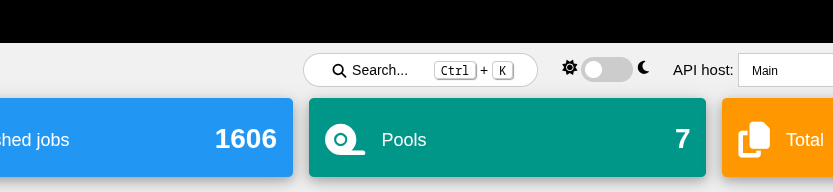
Starting from version 6.1.0, Bacularis provides a new Bacula resource search feature.
../_images/bacularis_search_box_basic_view.png

Search#

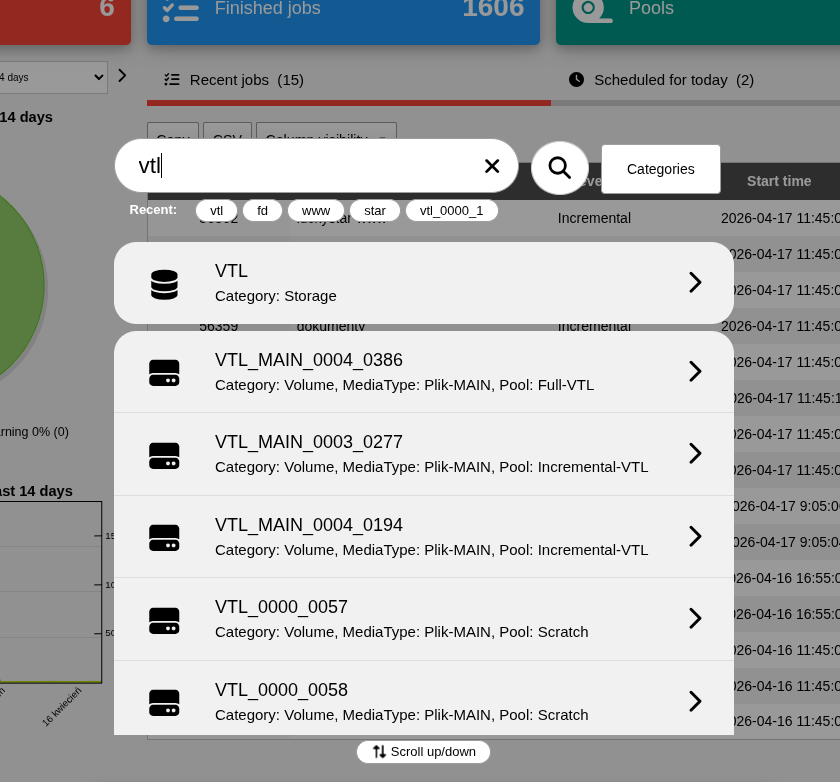
Bacula resource search is case-insensitive.

You can search using the full resource name (e.g. bacula-fd) or a fragment of it (e.g. bac or fd).

The search feature includes a search history. It stores the last five search queries, allowing you to reuse them without typing them again.
../_images/bacularis_search_box_main_view.png

Categories#

Search results are divided into the following categories:

  • Job - searches Bacula jobs

  • Client - searches Bacula clients

  • Storage - searches Bacula storage resources

  • Pool - searches Bacula volume pools

  • Volume - searches specific Bacula volumes

  • DIR config (Bacula Director configuration) - performs a full-name search across the entire Bacula Director configuration

Categories allow users to include or exclude specific resource types from search results individually.

Users#

Users can search only among resources they have access to. This means:

  • if a user does not have access to a given Bacula resource, it will not be included in the search results

  • if a user does not have access to the target page linked from a search result, the resource will not be listed in the results

  • if an administrator disables a given search category, all resources in that category (e.g. DIR config, Job, Pool, etc.) will not be displayed in the results

This ensures that the search feature is fully secure for users.

Configuration#

The search feature is configurable. Configuration options can be found in the application settings, available under the gear icon in the upper-left part of the interface:

[Page: Application setting] => [Tab: Features]

The settings allow you to:

  • enable or disable individual search categories globally (applies to all users)

  • enable or disable the visibility of the search feature in the interface

Default behavior#

By default, after installation or upgrade, the search feature is enabled with all categories available for selection.

Video guide#


previous

Severity

next

Versions

Contents
  • Search
  • Categories
  • Users
  • Configuration
  • Default behavior
  • Video guide

By Marcin Haba

© Copyright 2021-2026, Marcin Haba.